Every focus app starts from the same premise: something about you isn't working. Where they diverge is in what they think that something is. If you've tried a few of these tools and found them useful for a week before quietly stopping, it's worth asking whether the problem was you — or whether the app's diagnosis just didn't fit.

Forest: The Problem Is Your Phone
Forest's theory is elegant for a specific kind of person. You set a timer, a virtual tree begins to grow, and if you pick up your phone the tree dies. The mechanism is loss aversion applied to something small enough to work — and the 60 million downloads suggest the theory lands for many people.
But Forest doesn't block your laptop, your second screen, or the browser tab you left open. And it only works if the dead tree means something to you. For users who find the gamification charming and motivating, it's a genuine tool. For users who find it slightly absurd, it's not an app problem — it's a fit problem. Forest is also a mood board, not a productivity system. It records that you focused. It doesn't help you decide what to focus on.
Focusmate: The Problem Is Working Alone
Focusmate pairs you with a stranger over a 25- or 50-minute video call. You say what you're working on, work silently, check in briefly at the end. The mechanism is body doubling — the observable phenomenon that people work more consistently when someone else is present. It's well-supported in behavioural science and particularly effective for people who struggle with task initiation.

The honest cost is environmental: camera, microphone, reliable internet, and a space where you can sit on camera without disturbing others. In a private home office with predictable hours it can be transformative. In a shared flat or an open-plan office, the tool may be entirely correct while still being unusable in practice.
Freedom: The Problem Is the Open Internet
Freedom's theory is structural. The internet, unmanaged, was engineered to redirect attention — so Freedom enforces blocks simultaneously across all your devices, with a Locked Mode that can't be undone mid-session. Cross-device sync is the feature that makes this meaningful. If your laptop is blocked and your phone isn't, you've done nothing.
What Freedom doesn't address is what you do with the time it clears. It removes obstacles. The work still has to be defined somewhere else — which is exactly what voliflow is for.
TickTick: The Problem Is Tasks Without Time Containers
The Pomodoro timer in TickTick is tethered directly to a named task. That moment of naming does more cognitive work than the ticking itself — it closes the ambiguity that makes the first few minutes of work feel shapeless. But TickTick is primarily a task management platform, and the focus timer is one feature buried inside a large system. The Pomodoro feature is also locked to Premium.
Voliflow: Built Around Clear Structure
Voliflow's premise is that focus breaks not because of your phone, or your internet connection, or working alone — but because the work itself isn't clearly structured. Sitting down without a clear area, a clear step, and a clear session feels shapeless in a way that invites drift regardless of what you've blocked.
"The structure is the focus. Define it clearly and the work becomes possible."
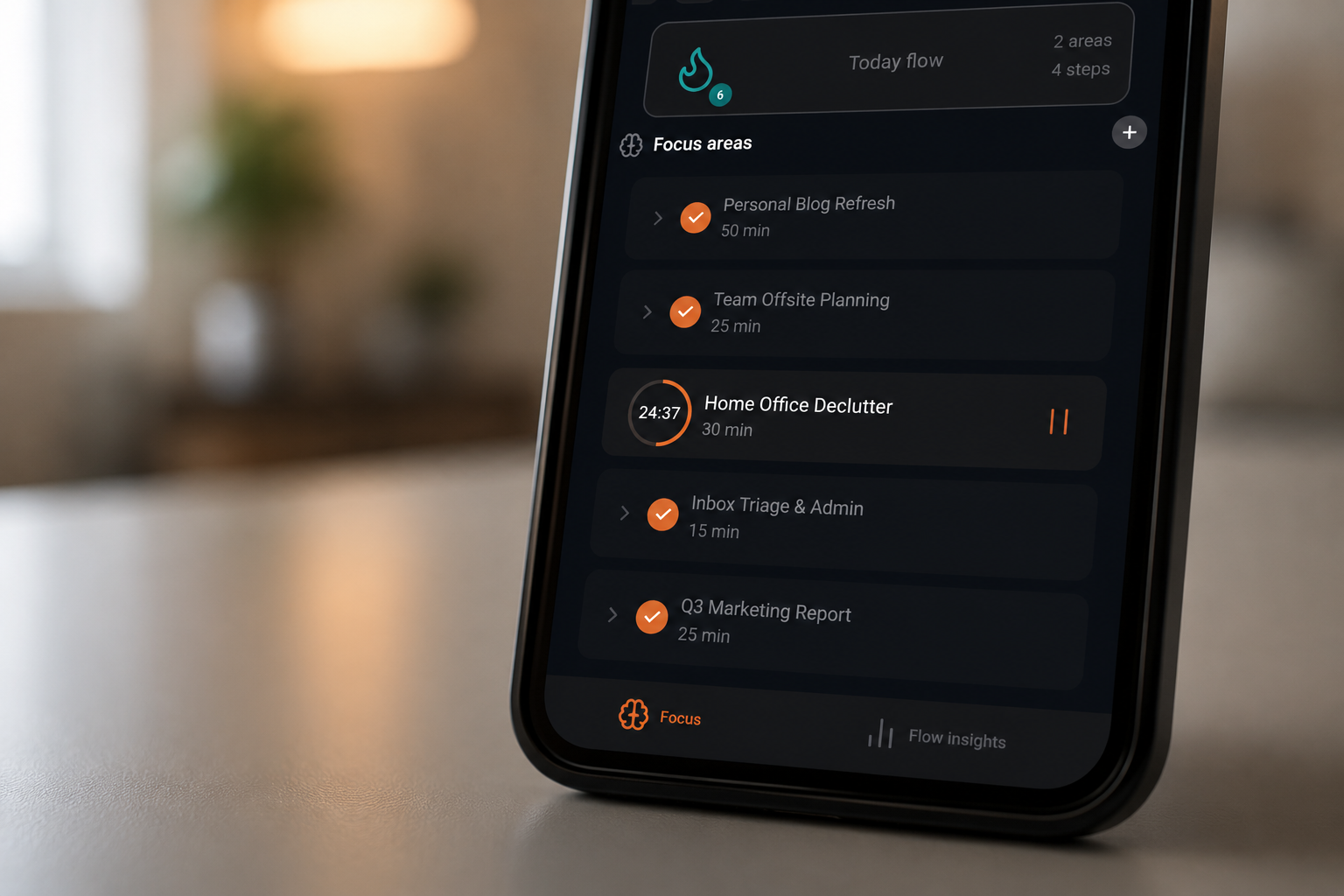
The system works in two layers. Focus Areas are the broad categories of your work — a project, a domain, a goal. Each area contains Steps: the specific, actionable tasks within it. You see your areas for the day at a glance, check off steps as you go, and launch a focus session directly from either level. The structure makes it impossible to sit down without knowing what you're doing.
In voliflow, you can also assign a default session duration to each focus area or step individually — so the timer is already set to the right length before you press play.
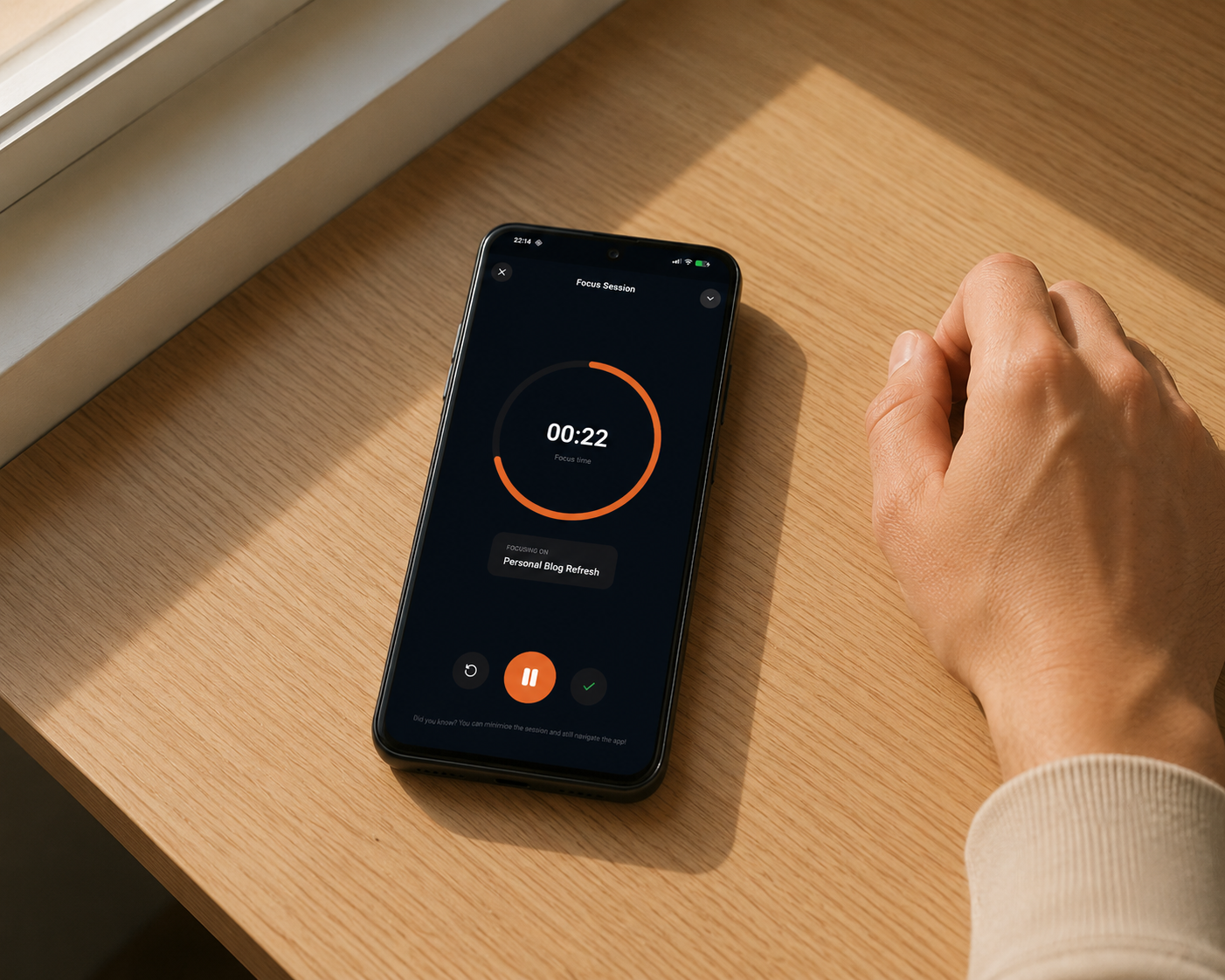
The focus session itself is built for real work. A circular countdown timer fills the screen. You can play, pause, reset, or adjust the duration mid-session. When you need to navigate the app or check something without losing the session, you minimise to a floating widget — a persistent pill at the bottom of the screen showing your time remaining and inline play/pause controls. The session keeps running. Nothing is lost.
Even better: when the timer is running, a live notification appears in your notification bar with the session title, a countdown, and action buttons to pause, resume, or stop — all without opening the app. For anyone who has ever lost a focus session because they had to check one thing and never found their way back, this alone is worth it.
Premium users can also use the Copy to Days feature — duplicate a focus area and all its steps across a date range in one tap. Plan your whole week in seconds.
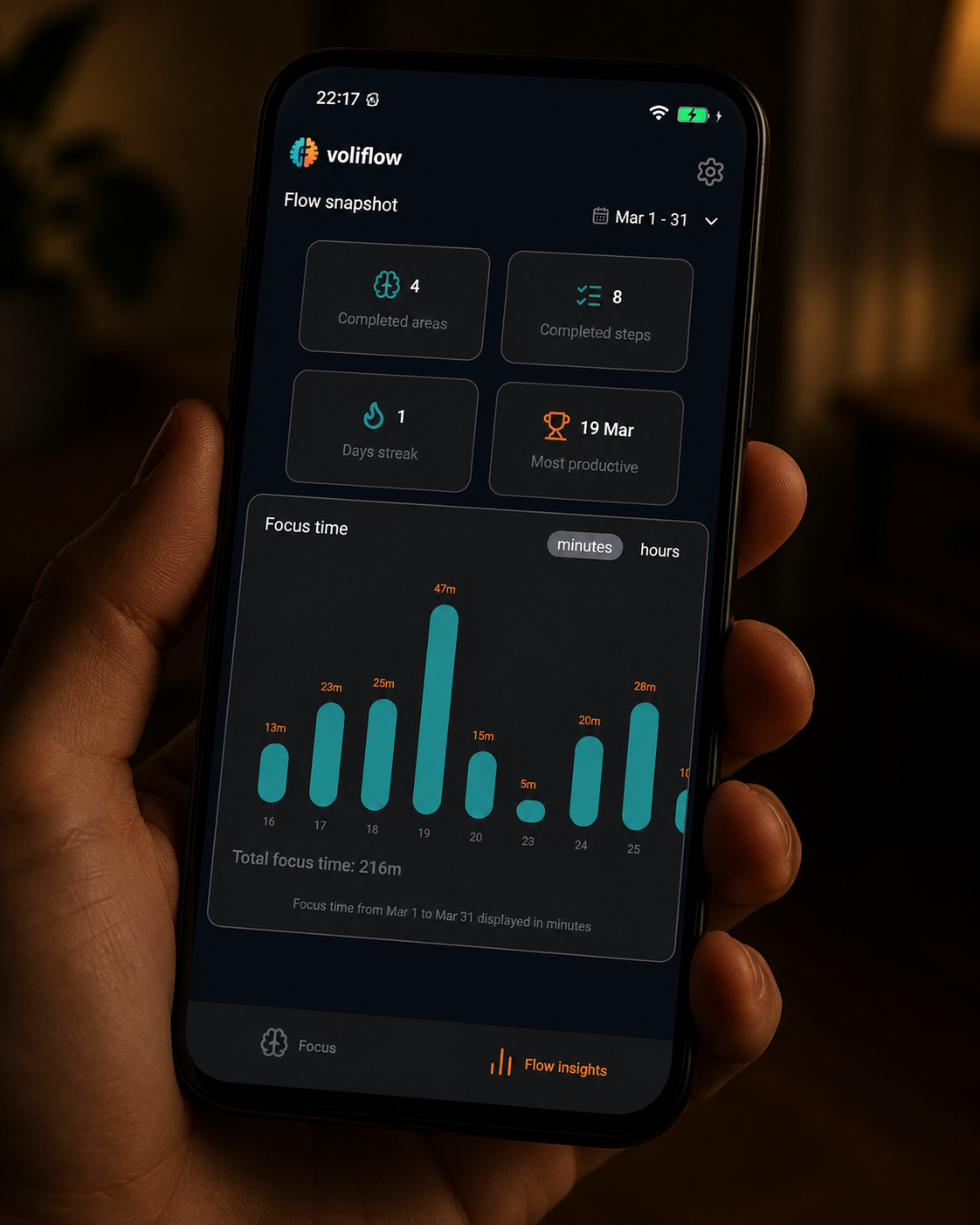
The Flow Insights tab gives you the data you actually need: completed areas and steps, your current streak of consecutive productive days, your most productive date, and a session activity chart over any date range you choose. It's enough to notice patterns and build momentum — without the tracking becoming the activity itself.
Everything stays on your device. No account to create, no cloud sync, no data leaving your phone. No gamification, no social layer, no music. Just your work, clearly organised, with a timer that gets out of your way.
The free tier gives you three focus areas — enough to run a genuine test before committing. Voliflow is currently Android-only, with iOS on the way.
Which Theory Fits You
None of these apps is wrong. Forest is right that the phone is a genuine distraction mechanism. Focusmate is right that social accountability changes working conditions. Freedom is right that an unmanaged internet undermines deep work. TickTick is right that naming a task before timing it helps. Voliflow is right that unclear structure is the source of drift that none of the others address.
The question isn't which app is best in the abstract. It's which problem description sounds most like your Tuesday afternoon. And if you've found yourself sitting down with good intentions and losing the thread within minutes — not because your phone buzzed, but because the work felt undefined — voliflow is describing your situation.
"The one thing none of them can do is tell you what you're working toward. Voliflow comes closest to helping you figure that out."